
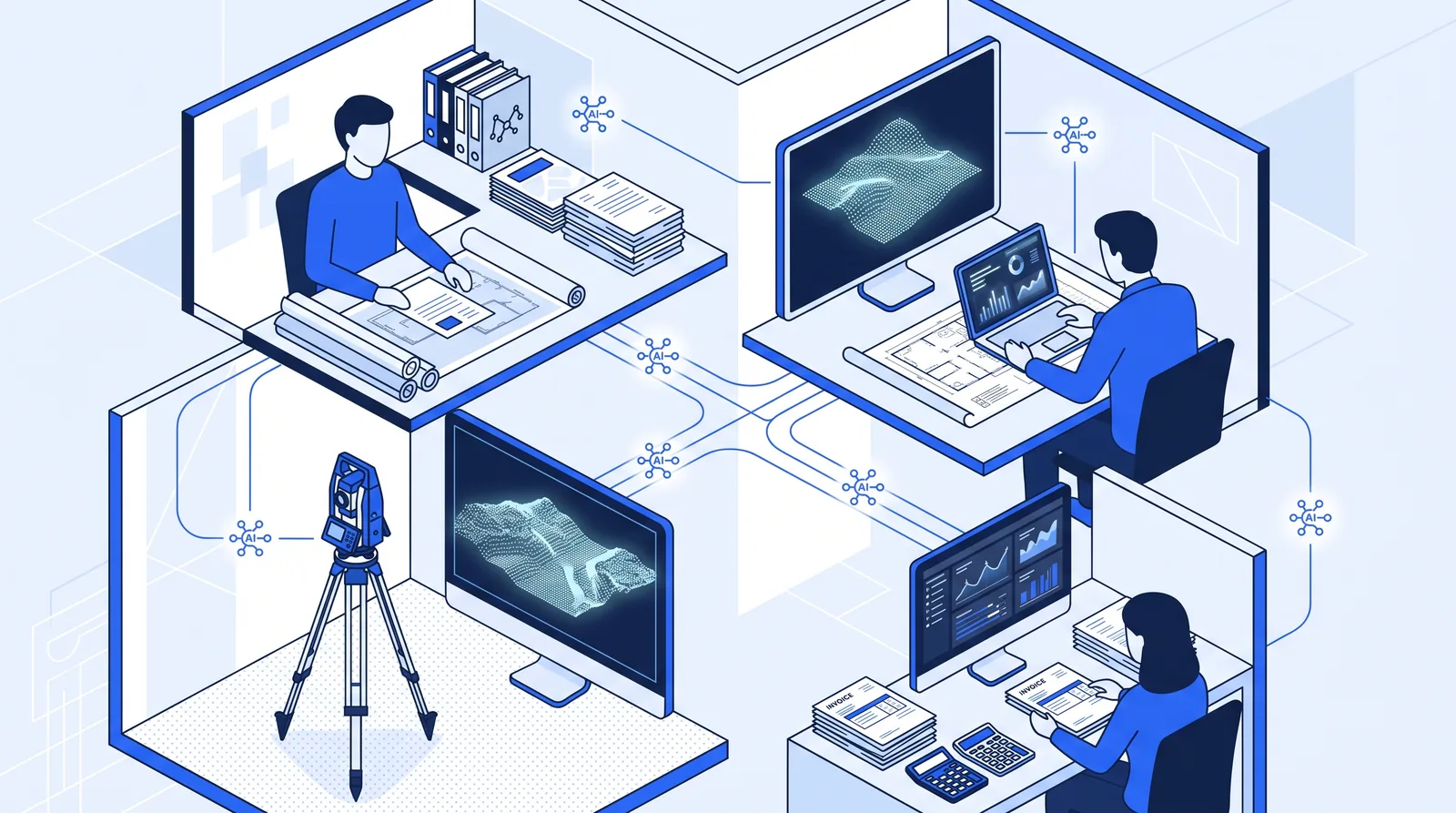
Engineering firms can use AI in four areas: winning work (finding RFQs and drafting proposals), running projects (minutes, RFI and permit tracking, code research), technical production (classifying point clouds, spotting defects in inspection imagery, drafting standard report sections) and getting paid (invoices and collections). The admin uses are proven and low-risk today. The technical uses are real but need more review, and none of them takes over work a PE or PLS has to seal.
This guide lists 14 specific use cases, rates each by how mature it is, and names who has to sign off. It's written for principals, PMs and office managers at small and mid-sized engineering and surveying firms deciding where AI belongs first.
Key takeaways
- Most firms now use AI somewhere. Unanet's June 2026 survey puts AEC adoption at 75%, but use is concentrated in business development and marketing.
- The most mature use cases are text-heavy admin: minutes, proposal first drafts, RFQ monitoring, logs, reminders and invoices.
- Technical uses, such as AI classification of lidar point clouds, already ship in mainstream GIS software but depend on your data matching the model's training data.
- Inspection-image defect detection and AI-led design remain largely research or early-stage, so treat them as pilots.
- Whatever the use case, a licensed professional stays accountable. ASCE says AI "cannot be held accountable."
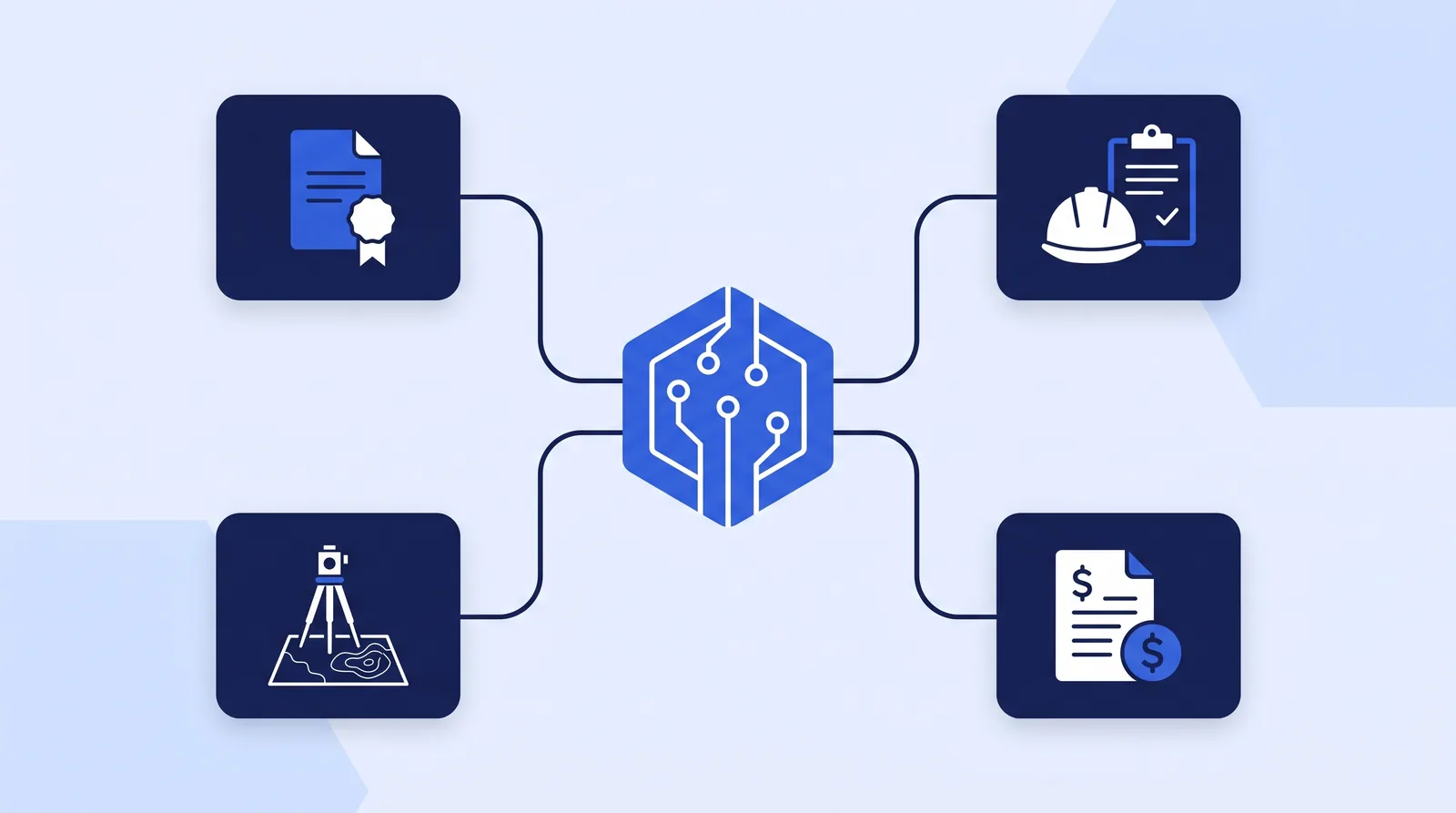 AI use cases fall into four areas: winning work, running projects, technical production and getting paid.
How are engineering firms using AI today?
Most engineering firms use AI in some form, but few use it deeply. The headline adoption numbers depend on what each survey counts as "use":
| Survey | What it measured | Finding |
|---|---|---|
| Unanet AEC Inspire Report (June 2026, ~300 US AEC leaders) | Any AI use at the firm | 75% use AI, up about 20 points in a year; use is concentrated in business development and marketing |
| Bluebeam AEC Technology Outlook (late 2025, 1,000+ AEC professionals in five countries) | AI used for "automation, problem-solving, or decision-making" | 27% of firms; 94% of those plan to expand use |
| Total Synergy Engineering Industry Benchmark (2026) | Views on the most impactful industry trend | 72% name AI; interest has shifted from AI design tools toward cutting admin work |
| AIA AI study (March 2025) | Architects' regular use and expectations | 6% use AI regularly; 84% are optimistic about automating manual tasks |
Figures as of October 2026, from each publisher's release. The Total Synergy and Bluebeam figures come from software vendors' own surveys.
The gap between 75% and 27% is the real story. Most firms have someone using a chatbot for marketing copy. Far fewer have AI doing a defined job inside a workflow. The ACEC Research Institute found the same: most firms are still running pilots or limited deployments, with near-term value in automating routine tasks, speeding up data analysis and supporting project management and quality control.
For the bigger picture on where AI does and doesn't fit, see our guide to AI automation for engineering firms. The rest of this article goes use case by use case.
14 AI use cases for engineering firms at a glance
The table rates each use case on a three-level scale. Proven means tools are widely available and errors are easy to catch before anything leaves the firm. Emerging means tools exist but results depend heavily on your data and review. Early means the work is mostly pilots or research.
| # | Use case | Area | Maturity | Who signs off |
|---|---|---|---|---|
| 1 | RFQ and bid monitoring | Winning work | Proven | Principal (go/no-go) |
| 2 | Proposal and SF330 first drafts | Winning work | Proven | Proposal lead |
| 3 | Past-client check-ins and CRM updates | Winning work | Proven | PM or principal |
| 4 | Meeting minutes and action items | Running projects | Proven | Meeting lead |
| 5 | RFI and submittal logs | Running projects | Proven | PM (the technical answer) |
| 6 | Permit tracking and comment letter summaries | Running projects | Proven | PM |
| 7 | Document chasing and filing | Running projects | Proven | Office manager |
| 8 | Building code research | Running projects | Emerging | Engineer of record |
| 9 | Lidar point cloud classification | Technical | Emerging | Surveyor or GIS lead |
| 10 | Standard report sections | Technical | Emerging | Signing professional |
| 11 | Inspection image defect detection | Technical | Early | Inspector or engineer |
| 12 | AI-led design and option studies | Technical | Early | Engineer of record |
| 13 | Invoice drafting | Getting paid | Proven | PM or principal |
| 14 | Collections reminders | Getting paid | Proven | Office manager |
These ratings are our synthesis of the vendor documentation, research projects and surveys cited below, not a published industry standard. Use them as a starting point and adjust for your own tools and data.
AI use cases for winning work
Business development is where most firms start, and it's where Unanet found AI use concentrated. The work is text-heavy and repetitive, and a person reviews everything before it goes out.
1. RFQ and bid monitoring
AI can watch city, county, state and DOT procurement portals and summarize new solicitations that match your services and area. The useful output is a short brief: scope, due date, required forms and a go/no-go checklist. A principal still decides whether to pursue. This replaces the weekly portal sweep that someone does by hand, or skips when the office is busy.
2. Proposal and SF330 first drafts
AI is good at assembling a first draft from material you already have: resumes, project descriptions, past proposal language and the RFP's own requirements. It can also build a compliance checklist from a long RFP so nothing is missed. The win strategy, fee and technical approach stay with your team.
3. Past-client check-ins and CRM updates
AI can update contacts and pursuits from real emails and meeting notes, and draft check-in messages to past clients, developers and contractors for a person to approve. This keeps relationships warm without anyone maintaining the CRM by hand.
AI use cases for running projects
Project delivery admin is the largest pool of hours most firms can recover. These use cases are proven because the output is easy to check: a set of minutes, a log entry, a reminder email.
4. Meeting minutes and action items
This is the most mature use case on the list, and many firms already pay for it. Microsoft's documentation says Teams intelligent recap produces AI meeting notes and AI-recommended tasks after a meeting, for users with a Teams Premium or Microsoft Copilot license and transcription turned on. The gap for engineering firms is the step after: turning notes into formal OAC or agency minutes, sending them to the right list and tracking the action items until they close.
5. RFI and submittal logs
AI can log RFIs and submittals as they arrive by email or through platforms like Procore and Bluebeam, track who owes a response and send reminders as deadlines approach. The technical response is never automated; the tracking around it is.
6. Permit tracking and comment letter summaries
AI can track permit and plan review status across agencies, flag resubmittal and renewal deadlines, and turn a long agency comment letter into a numbered list of required changes. The engineer decides how to respond to each comment.
7. Document chasing and filing
Projects stall waiting on title commitments, geotech reports, surveys and subconsultant deliverables. AI can track what's outstanding, send polite reminders on a schedule and file each document to the right project folder when it arrives.
8. Building code research
AI is now built into code reference tools. The International Code Council's ICC AI Navigator answers basic I-Code questions and returns referenced code sections with each answer; it requires a Digital Codes Premium subscription. ICC itself suggests checking the referenced sections. That's the right habit: use AI to find the relevant section faster, then read the section yourself. The engineer of record owns the interpretation.
 Admin uses are proven, survey-data uses are emerging, and AI-led design is still early.
AI use cases for technical production
Technical uses get the most attention, but they need the most care. The AI output feeds directly into engineering or surveying work, so review has to be built into the workflow, not bolted on.
9. Lidar point cloud classification
This is the most established technical use for surveying and civil firms. Mainstream GIS software now ships deep learning tools for it. Esri's ArcGIS Pro documentation describes classifying point clouds with deep learning, using pretrained models from ArcGIS Living Atlas or models you train yourself.
The catch is fit. Esri notes that your data should resemble the model's training data: a model trained on airborne lidar suits airborne lidar, not photogrammetric or structure-from-motion point clouds. Point spacing and attributes such as intensity should be similar too.
Public agencies are working on the same problem. The USGS notes that the minimum classification for its national 3DEP lidar program is just ground, non-ground and unclassified, and it has an active project to build a deep learning toolkit to improve classification accuracy and automation.
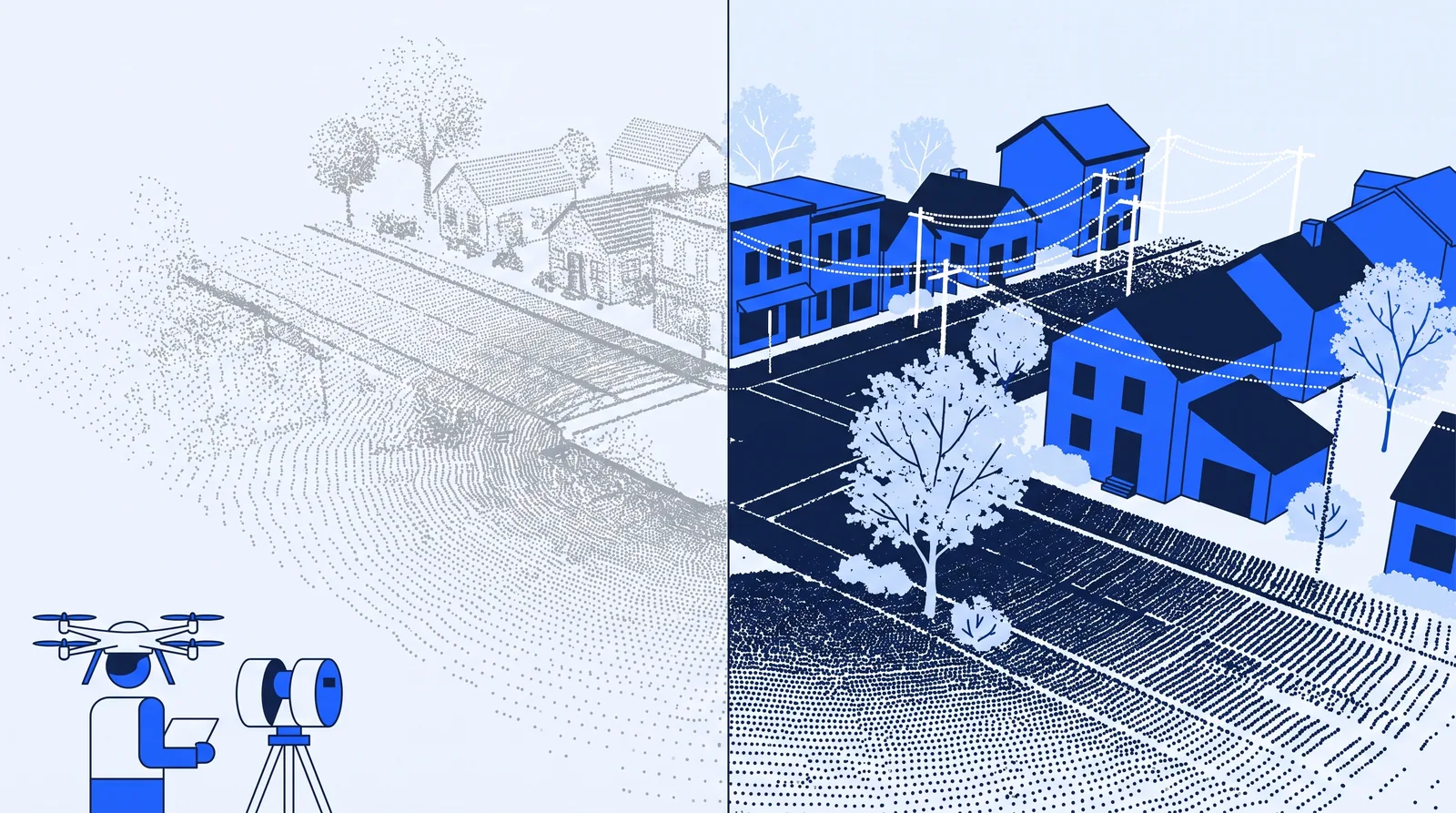 AI classification sorts raw points into ground, vegetation, buildings and wires; a surveyor still checks the result.
10. Standard report sections
AI can draft the repeatable parts of field reports, inspection reports and environmental reports from field notes and your templates: site descriptions, methods, standard limitations. Findings, conclusions and anything under a signature stay with the professional. Treat this as emerging, because errors in a report are harder to spot than errors in a reminder email.
11. Inspection image defect detection
Computer vision for spotting cracks and other defects in bridge inspection images is an active research area, not yet a routine tool for most firms. One example is a US DOT-funded university transportation center project, managed by the Alaska Department of Transportation and Public Facilities, to develop AI tools that help bridge inspectors with defect detection and reporting under National Bridge Inventory and AASHTO element inspection requirements. The project started in July 2024. If your firm does inspection work, watch this space and pilot carefully.
12. AI-led design and option studies
ACEC's research lists generative design as one category of AI tools firms are exploring. For most small and mid-sized firms, though, this is the least mature use case and the one closest to sealed work. ASCE's Policy Statement 573 states that "AI cannot serve as a replacement for the professional judgement of a licensed Professional Engineer." Use AI here for exploration under direct supervision, not for design decisions.
How can land surveyors use AI?
Land surveyors can use AI in both the office and the data workflow. In the office, the best fits are request intake, scheduling field crews, chasing title commitments and deeds, and invoicing many small jobs. In the data workflow, AI point cloud classification (use case 9) can cut cleanup time on lidar projects when your data matches the model.
What stays with the surveyor: boundary determinations, evidence evaluation, legal descriptions and plats. Anything carrying a PLS seal is the surveyor's professional responsibility, whatever tool helped prepare it. See the land surveying page for typical admin workflows in survey firms.
AI use cases for getting paid
Billing is where admin delays hit cash flow directly, and the work is highly rules-based.
13. Invoice drafting
AI can draft invoices with backup from approved hours and phase completions in your accounting system, then hold them for a PM's approval. Invoices go out on time instead of waiting for a PM's free afternoon.
14. Collections reminders
AI can send polite, escalating reminders on overdue invoices and retainage, and mark invoices paid when payment arrives. A person decides when to escalate or stop work. To see what slow payment costs your firm, try the unpaid invoice calculator.
Should engineering firms use AI agents?
Yes, for defined, repeatable workflows. An AI agent is software that watches for a trigger, does a set job using your systems and asks a person before anything important goes out. That fits use cases 1 to 7, 13 and 14 well. It fits technical uses less well, because those need expert review of every output.
To decide which use case comes first, score each candidate with four questions:
- Is it frequent? Weekly or more beats quarterly.
- Does it follow a pattern? The same inputs and steps each time.
- Is the source data clean? Unanet found only 29% of AEC firms have high confidence in the data behind their AI tools, so start where your data is already reliable, such as approved timesheets.
- Is an error easy to catch before it leaves the firm? A wrong reminder is cheap. A wrong design value isn't.
Four yeses means start there. For a structured version of this exercise, the workflow prioritizer ranks your candidates.
Example scenario: a 12-person survey and civil firm picks its first use cases
Example scenario: choosing three use cases out of fourteen This is an illustrative example, not a real client.
The situation: A 12-person land surveying and civil engineering firm has two PLSs, one PE, five field staff, three office staff and one office manager. The principals want to "use AI" but have only tried a chatbot for marketing copy. Survey requests arrive by phone and email, invoices go out late, and the firm recently bought a drone lidar setup.
What they do: They score all 14 use cases with the four questions above. Collections reminders, document chasing for title commitments, and meeting minutes score four out of four, so they go first, each with a person approving outgoing messages. Point cloud classification scores lower: it's frequent, but the firm's drone data may not match available pretrained airborne models, so they plan a small test on one completed project, comparing AI classes against their own edited classes before relying on it. Design-related AI is left out for now.
The likely outcome: In Bluebeam's survey, nearly half of respondents (46%) reported saving 500 to 1,000 hours with AI tools, but that figure is self-reported and not broken down by firm size. A 12-person firm starting with three tasks should plan for a smaller number and measure it directly: office hours on chasing and reminders, days from month-end to invoice, and days to payment, for four weeks before and after.
The key move in this scenario is sequencing. The firm starts with proven admin uses that are easy to check, and runs the technical use case as a measured test rather than a rollout.
Conclusion
Engineering firms can use AI across the whole business, but the use cases aren't equally ready. Admin work, such as RFQ monitoring, proposal drafts, minutes, logs, document chasing, invoices and collections, is proven and easy to check. Technical uses like point cloud classification and code research are useful with careful review. Inspection-image defect detection and AI-led design are still early.
The recommendation: score the 14 use cases against your own week, start with three that are frequent, patterned, built on clean data and easy to check, and keep a licensed professional in charge of anything that carries a seal.
FAQs
What is the most common way engineering firms use AI?
Business development and marketing. Unanet's 2026 survey of about 300 US AEC leaders found AI use concentrated there. Project admin, such as minutes and tracking, is the next most practical area because outputs are easy to review.
Can AI do engineering design?
Not on its own. AI can support research and option studies under an engineer's direct supervision, but ASCE's policy says AI cannot replace a licensed PE's professional judgment. Sealed work stays the engineer's responsibility.
Is AI accurate enough for survey data?
It depends on the data. AI point cloud classification works best when your data resembles the model's training data, such as airborne lidar for an airborne-trained model. Always compare results against edited data on a known project before relying on them.
How do I choose which AI use case to start with?
Pick tasks that happen weekly or more, follow the same steps each time, use clean source data, and produce output that's easy to check before it leaves the firm. Most firms find two or three admin tasks that meet all four tests.
Do engineering firms need special AI software?
Not always. Many firms already pay for AI features inside tools they use, such as Teams meeting recaps or AI code search. The extra work is connecting those outputs to firm workflows: sending minutes, updating logs and following up. For a priced list of options, see which AI tools to buy.