

The best AI tools for engineering firms are usually the ones built into software you already pay for. For most small and mid-sized firms, that means Microsoft 365 Copilot Business (or ChatGPT Business if you're not a Microsoft shop) as the general assistant, then the AI inside your drawing, accounting and project tools: Bluebeam Max, Deltek Vantagepoint, Unanet or Procore. Specialist tools like ICC AI Navigator and ArcGIS Pro cover code research and survey data.
This list is for principals, PMs and office managers at engineering, surveying and architecture firms choosing where to spend an AI budget. Every price below was checked on the vendor's page or a dated news report in October 2026.
Key takeaways
- Pick one general assistant that matches your email and file system: Copilot Business ($21 per user per month list) for Microsoft 365, Gemini for Google Workspace, ChatGPT Business or Claude Team ($20 per user per month on annual billing) for a standalone option.
- Next, turn on the AI in tools you already own. Bluebeam Max adds AI drawing reviews and comparisons for $590 per user per year (introductory price), $150 more than Revu Complete.
- Deltek and Unanet now ship AI agents inside their A&E ERP and CRM products, which matters more than any standalone tool if you run on them.
- Adoption isn't the hard part. Deltek's 2026 study found 70% of A&E firms use AI, but only 38% report a measurable positive impact.
- None of these tools takes over sealed work. ASCE's policy is blunt: "AI cannot be held accountable."
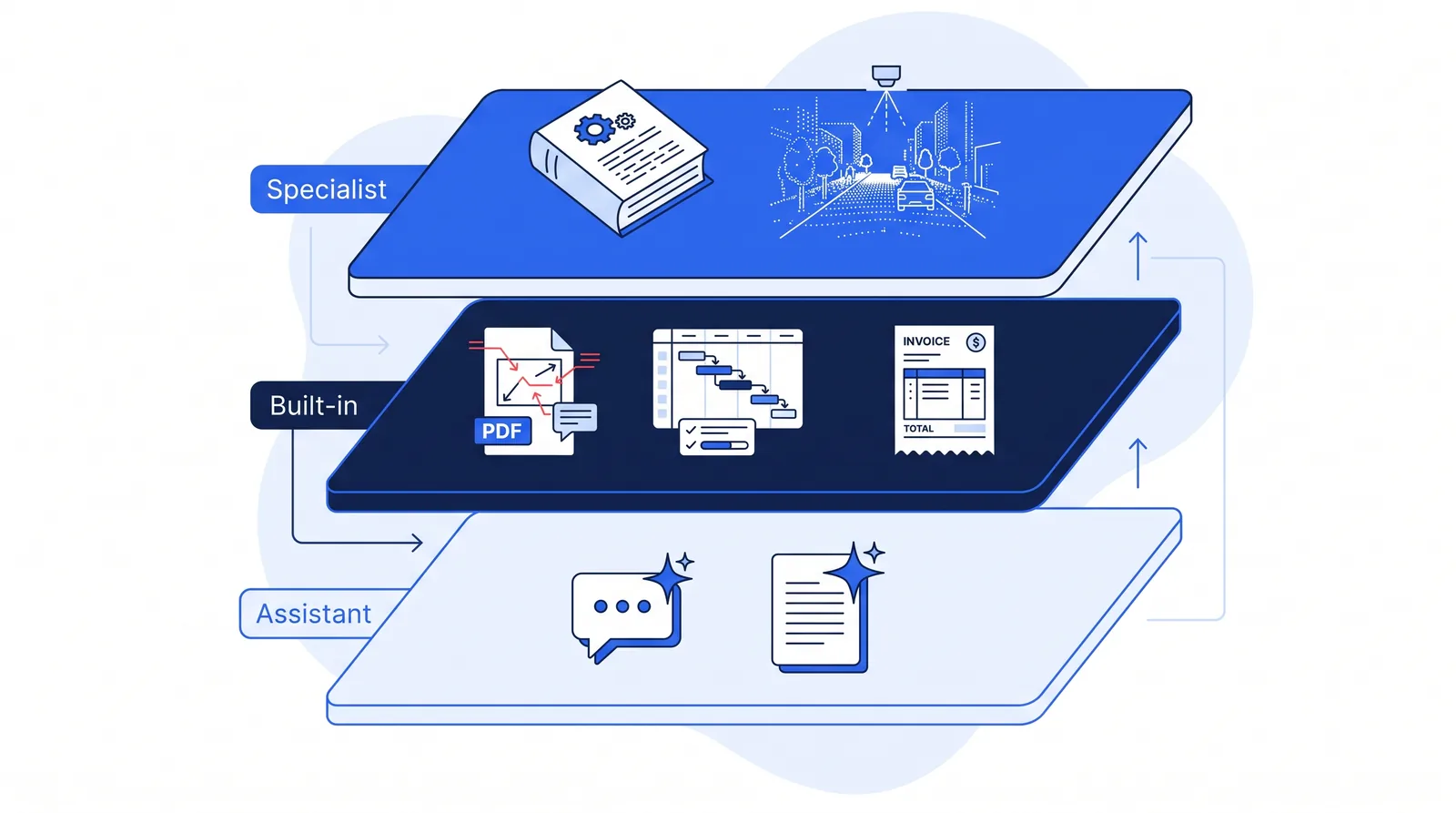 Most firms need one tool from each layer: a general assistant, the AI inside their existing software, and a specialist tool only where the work calls for it.
Quick comparison
| # | Tool | Best for | Price (as of Oct 2026) | Layer |
|---|---|---|---|---|
| 1 | Microsoft 365 Copilot Business | Firms on Microsoft 365 | $21/user/mo list, annual; up to 300 users | Assistant |
| 2 | ChatGPT Business | A standalone assistant for any stack | $20/user/mo annual, $25 monthly | Assistant |
| 3 | Claude Team | Pairing an assistant with Bluebeam Max | $20/user/mo annual, $25 monthly | Assistant |
| 4 | Gemini in Google Workspace | Firms on Google Workspace | Included in Business Standard and Plus | Assistant |
| 5 | Teams Premium (intelligent recap) | Meeting notes without full Copilot | $10/user/mo | Built-in |
| 6 | Bluebeam Max | Drawing review and revision comparison | $590/user/yr (introductory) | Built-in |
| 7 | Deltek Vantagepoint with Dela | Firms running Vantagepoint | Ask Deltek | Built-in |
| 8 | Unanet AE ERP / AEC CRM with Champ | Firms running Unanet | Ask Unanet | Built-in |
| 9 | Procore AI agents | Firms working in Procore projects | Starter Pack: flat rate, up to 3 projects | Built-in |
| 10 | ICC AI Navigator | Building code questions | Requires ICC Digital Codes Premium | Specialist |
| 11 | ArcGIS Pro deep learning | Lidar point cloud classification | Part of ArcGIS Pro; check your license | Specialist |
How we chose these tools
We started from the work a small or mid-sized engineering firm actually does each week, then looked for tools that cover it. A tool made the list only if it met all four criteria:
- Documented publicly. Features and pricing are on the vendor's own pages or in dated news coverage, so you can check them.
- Fits engineering and surveying work, not just software development or generic office tasks.
- Has business data controls, such as no model training on your content by default or permission-aware access to firm data.
- Keeps a person in the approval seat. Drafts, flags and summaries, not unreviewed decisions.
We left out design-generation and simulation tools aimed at product engineering, AI coding assistants, and agencies that sell AI services to AEC firms. Suntex Labs is one of those agencies, so it isn't ranked here. We build custom agents rather than selling off-the-shelf software.
Why the AI tool choice matters less than the workflow
Most A&E firms already use AI somewhere. The problem is getting value from it. Deltek's 2026 Clarity A&E study of 896 US and Canadian firms found:
- AI adoption rose from 53% to 70% in a year, and generative AI use from 64% to 78%.
- Only 38% reported a measurable positive business impact tied to AI.
- The top challenges were knowing where and how to apply it (62%), integrating AI systems (56%), and data and cybersecurity (52%).
That gap shapes this list. A chatbot license on its own rarely moves a firm's numbers. The tools that tend to pay off sit inside a workflow you already run: drawing review, billing, pursuits, meeting follow-up. For more on where AI fits and where it doesn't, see our guide to AI automation for engineering firms.
General AI assistants
Every firm needs one general assistant for drafting, summarizing and answering questions about documents. Pick the one that lives where your email and files already are. Paying for two is usually waste.
1. Microsoft 365 Copilot Business: best for firms on Microsoft 365
If your firm runs on Outlook, Teams, SharePoint and Excel, Copilot is the default choice because it works inside those apps and on the files you already store there.
Microsoft cut the price for smaller organizations in late 2025. As of December 1, 2025, Copilot Business costs $21 per user per month for organizations with 300 or fewer employees, down from the $30 price set at launch in 2023. It requires a Microsoft 365 Business plan. Microsoft has also run lower promotional prices, so check the current offer before you buy.
- Good for: drafting proposal sections in Word, summarizing long email threads, pulling data out of Excel, and Teams meeting recaps.
- Watch out for: it's an add-on per user, so licensing the whole firm adds up quickly. Start with the people who write the most.
- Best for: firms already standardized on Microsoft 365.
2. ChatGPT Business: best standalone assistant
ChatGPT Business suits firms that want one assistant regardless of their email platform, or that use a mix of Microsoft and Google tools.
OpenAI's pricing page lists a standard seat at $20 per user per month billed annually or $25 billed monthly, for teams of 2 to 200. It says business data isn't used for training by default, and the plan connects to Google Workspace, Slack, Microsoft 365 and other apps. It includes SSO, MFA and centralized admin.
- Good for: drafting, summarizing RFPs, turning field notes into clean text, and quick research.
- Watch out for: a separate tool means separate permissions. Decide which project folders it can see before you connect them.
- Best for: firms without a single office suite, or teams that want ChatGPT specifically.
3. Claude Team: best for pairing with Bluebeam
Claude Team, from Anthropic, is a comparable standalone assistant. Anthropic's pricing page lists standard seats at $20 per seat per month billed annually or $25 monthly, for teams of 2 to 150, with "no model training on your content by default."
The engineering-specific reason to consider it: Bluebeam Max's AI integration supports Claude through MCP (Model Context Protocol, an open standard for connecting AI assistants to other software). Users can generate markups and update markup properties through the connected assistant.
- Good for: drafting and summarizing, plus working with Bluebeam Max markups.
- Best for: firms that live in Bluebeam and want an assistant that can work with their markups.
4. Gemini in Google Workspace: best for firms on Google
If your firm uses Gmail, Google Drive and Meet, you may already have Gemini. Google's Workspace pricing page lists Gemini in Gmail, Docs, Meet and more in the Business Standard plan, with limited Gemini features in Business Starter.
- Good for: email drafting, Docs summaries and Meet notes without a new vendor.
- Watch out for: Starter-plan users get a narrower feature set than Standard.
- Best for: Google Workspace firms. Check your plan before buying a separate assistant.
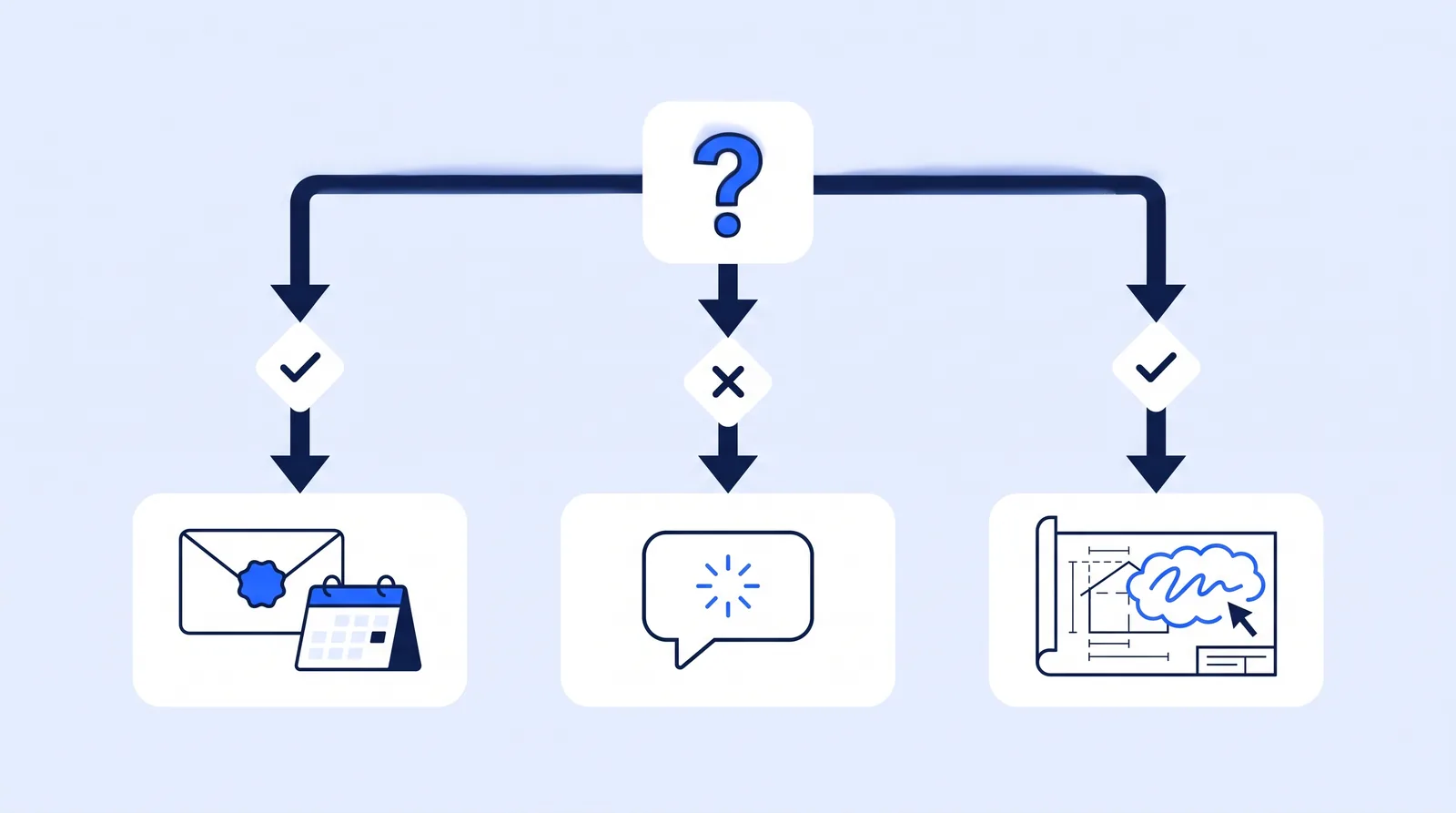 Choose your assistant by where your email and files live, then add AI to the tool where your most expensive review work happens.
AI built into the software you already use
This is the layer most firms underuse. The AI here already has your drawings, timesheets, pursuits or project records, so it does more with less setup.
5. Teams Premium intelligent recap: best low-cost meeting notes
Meeting minutes are one of the most proven AI uses for engineering firms. You don't need full Copilot to get them.
Microsoft's documentation says intelligent recap produces AI meeting notes and AI-recommended tasks after a Teams meeting. It requires a Teams Premium or Microsoft Copilot license, with transcription turned on. Teams Premium costs $10 per user per month.
- Good for: internal meetings, client calls, agency coordination calls.
- Watch out for: the recap is notes, not formal minutes. Someone still has to turn it into OAC or agency minutes, send them and track the action items.
- Best for: PMs who run many meetings but don't need Copilot in Word and Excel.
6. Bluebeam Max: best for drawing review
For firms that review and mark up drawing sets in Bluebeam Revu, Max is the most direct way to put AI into technical review.
Bluebeam's pricing page lists Max at $590 per user per year as an introductory price. It includes everything in Complete ($440), plus AI integration via MCP, AI drawing reviews, AI drawing comparisons and AI multi-view stitching. Bluebeam's June 2026 release added MCP support for Claude, GitHub Copilot CLI and AnythingLLM.
 AI drawing comparison flags what changed between revisions. A reviewer still decides what each change means.
- Good for: comparing revisions, first-pass QA on drawing sets, summarizing markup data.
- Watch out for: you can mix plans, so upgrade only your heaviest reviewers. The upgrade costs $150 per user per year over Complete at today's introductory price.
- Best for: civil, structural and MEP firms with regular plan review and revision cycles.
7. Deltek Vantagepoint with Dela: best for Vantagepoint firms
If you run Vantagepoint, its built-in AI has the most context on your projects, people and billing.
Ask Dela, introduced with Vantagepoint 7.0 in 2024, answers conversational questions about projects, employees, firms and contacts, drafts emails from Vantagepoint data, and summarizes projects. In November 2025 Deltek described a Dela Agent Workforce for Vantagepoint, covering resume and project sheet automation, an AI proposal builder that drafts from an uploaded RFP, billing discrepancy detection and "Autonomous Billing."
- Watch out for: much of the agent roadmap was described as upcoming. Ask Deltek which agents are live in your version and what they cost.
- Best for: mid-sized firms already on Vantagepoint.
8. Unanet AE ERP and AEC CRM with Champ: best for Unanet firms
Unanet has moved quickly on AI for AEC firms. Its 2025 launches included ProposalAI and OpportuneAI. Unanet says ProposalAI helps firms "generate high-quality first draft proposals up to 70% faster," which is a vendor claim, not an independent measurement. OpportuneAI supports go/no-go decisions with research on a prospect's history and competition.
On July 30, 2026, Unanet said Champ Agents are available for eligible customers in Unanet AE ERP and Unanet AEC CRM. In the CRM, the agents help BD and marketing staff prepare for client conversations, track pursuits and prepare proposals.
- Best for: firms on Unanet that want AI in pursuits and proposals without another tool.
9. Procore AI agents: best for firms working inside Procore projects
Procore is a contractor-led platform, but many engineering firms work in it: construction management and inspection groups, owner's reps, and design firms responding to RFIs and submittals on a client's project.
Procore lists pre-built agents including an RFI Agent that drafts pre-filled RFIs, a Submittal Review Agent that compares submittals against specs, and a Daily Log Agent that builds logs from photos, voice notes and emails. Procore says users "review, adjust, and approve every RFI draft, submittal review, and daily log." Its Digital Coworker Starter Pack is a six-month, flat-rate package covering up to three projects with five agents. Larger packages are credit-based.
- Best for: CM, inspection and owner's rep teams with Procore accounts.
Specialist AI tools for technical work
These tools are narrower. Buy them when the work is frequent enough to justify the license, and plan more review time than for admin tools.
10. ICC AI Navigator: best for building code questions
The International Code Council's AI Navigator answers basic I-Code questions within the location and code you select. Each answer includes referenced sections, and ICC tells users to check those sections against the code. It requires a Digital Codes Premium subscription.
- Best for: architects and building engineers who look up code sections often. Use it to find the section faster, then read it yourself.
11. ArcGIS Pro deep learning: best for lidar point cloud classification
For surveying and civil firms with lidar work, ArcGIS Pro can classify point clouds with deep learning using pretrained models from ArcGIS Living Atlas or models you train.
Esri's guidance on fit is the key caveat. Your data should resemble the model's training data, ideally from the same collection project, with similar point spacing and attributes. A model trained on airborne lidar suits airborne lidar, not photogrammetric or structure-from-motion point clouds.
- Best for: survey and GIS teams with repeat airborne lidar projects. Test on a project you've already edited by hand first.
For the wider set of ways firms are applying AI, from RFQ monitoring to collections, see 14 AI use cases for engineering firms.
How to choose the right AI tools for your firm
Use this order. It keeps you from paying for overlapping tools.
- Pick one assistant by platform. Microsoft 365 → Copilot Business. Google Workspace → Gemini, which you may already have. Mixed or neither → ChatGPT Business or Claude Team.
- License the writers first. Principals, PMs, proposal leads and the office manager write the most, so they get the most from an assistant.
- Turn on AI in your system of record. On Vantagepoint, Unanet or Procore, ask what's live in your version before buying anything separate.
- Upgrade only your heaviest reviewers to Bluebeam Max. Plans can be mixed per user.
- Add specialist tools only for frequent technical work, such as weekly code lookups or repeat lidar projects.
- Map the gaps. Most tools draft and summarize but don't send, chase or file. List the follow-up steps no tool covers; that's where time still leaks. The admin agent picker helps you sort those steps.
Two checks apply to every tool. First, confirm the vendor's data terms: ChatGPT Business and Claude Team both state no training on your content by default. (For a fuller treatment, see the five AI risks and how to control them.) Second, keep licensed professionals in charge. ASCE's Policy Statement 573 says "AI cannot serve as a replacement for the professional judgement of a licensed Professional Engineer."
Example scenario: a costed starter stack for a 15-person firm
Example scenario: choosing AI tools for a 15-person civil and survey firm This is an illustrative example, not a real client.
The situation: A 15-person civil engineering and land surveying firm runs on Microsoft 365 Business Standard and has three Bluebeam Revu Complete seats. Two principals, three PMs and an office manager write most proposals, minutes and client emails. The field crew rarely uses a desktop. A partner wants to "buy AI for everyone."
What they do: Instead of 15 licenses, they follow the order above:
- Copilot Business for the six heavy writers: 6 × $21 × 12 = $1,512 per year at list price.
- Bluebeam Max for the two PMs who do most plan review: 2 × ($590 − $440) = $300 per year extra at the introductory price.
- No separate meeting tool, because Copilot licenses include Teams intelligent recap.
- No ChatGPT or Claude seats, because a second assistant would duplicate Copilot.
Total new AI spend: about $1,812 per year, or $151 per month. Licensing Copilot for all 15 staff would cost $3,780 per year on its own.
The likely outcome: At a loaded staff cost of $75 per hour (an assumption; use your own rate), the stack breaks even at about two hours saved per month across all six users. That's a low bar. But Deltek's finding that only 38% of A&E firms see measurable impact is the warning: the firm should track hours on proposals, minutes and plan review for four weeks before and after, and keep the licenses only if the hours move.
To run the same math with your own salaries and hours, use the automation ROI calculator. For the costs beyond licenses, such as training and review time, see our AI strategy and breakeven guide.
What these AI tools don't do
Almost every tool on this list drafts, summarizes or flags. Very few finish the job. Copilot writes a recap, but no one sends formal minutes to the agency list. Bluebeam flags a revision change, but no one logs it against the submittal. Your ERP drafts an invoice, but no one follows up when it's 45 days late.
That last mile, connecting one tool's output to the next step in another system, is where most admin time still goes. It's also why the Deltek study found integration (56%) to be one of the biggest AI challenges for A&E firms. For civil firms specifically, the civil engineering page shows which admin workflows usually sit in that gap.
Conclusion
The best AI tools for engineering firms aren't a single product. Start with one general assistant that matches your platform: Copilot Business for Microsoft 365, Gemini for Google Workspace, or ChatGPT Business or Claude Team otherwise. Then turn on the AI in software you already pay for, like Bluebeam Max, Vantagepoint, Unanet or Procore. Add specialist tools such as ICC AI Navigator or ArcGIS Pro only where the technical work is frequent.
The recommendation: license the people who write and review the most, measure hours before and after, and keep a licensed professional responsible for anything that carries a seal.
FAQs
Is ChatGPT good for engineering firms?
Yes, for writing and summarizing work like proposal drafts, RFP summaries and client emails. Use a business plan: OpenAI says ChatGPT Business doesn't train on business data by default. Don't rely on it for calculations or design decisions without an engineer's check.
Should an engineering firm choose Microsoft Copilot or ChatGPT?
Choose Copilot Business if your firm runs on Microsoft 365, because it works inside Outlook, Word, Excel and Teams with your existing files. Choose ChatGPT Business if you use mixed platforms or want a standalone assistant. Few small firms need both.
What AI tools are best for land surveyors?
For office work, a general assistant plus AI in your accounting or project software. For data work, ArcGIS Pro's deep learning point cloud classification is the most established option, provided your lidar data resembles the model's training data. Boundary decisions and plats stay with the surveyor.
How much do AI tools cost for a small engineering firm?
General assistants cost about $20 to $25 per user per month as of October 2026. Bluebeam Max adds $150 per user per year over Revu Complete at its introductory price. A 15-person firm licensing six heavy users can spend under $2,000 a year.
Can AI tools do engineering design?
Not on their own. AI tools can draft, compare drawings and answer code questions, but ASCE's policy says AI cannot replace a licensed engineer's professional judgment. Sealed work remains the engineer's responsibility.