
Yes, AI can automate a large share of the work inside an engineering firm, and it can assist with a good deal of the engineering too, but it can't take responsibility for it. AI automation for engineering firms pays off fastest on project admin: meeting minutes, proposal assembly, document chasing, RFI and permit tracking, invoicing and collections. Design decisions, calculations you seal, and anything else that needs professional judgment must be directed and owned by a licensed engineer or surveyor, even when AI helps produce them.
This guide is for principals, project managers and office managers at small and mid-sized civil, structural, MEP, geotechnical, environmental and surveying firms. It covers where the line falls, what 2026 industry data says about adoption, how much time is at stake, and how to start without creating new risk.
Key takeaways
- AI is a strong fit for repetitive, text-heavy, rules-based admin work. It can also assist with technical analysis, but anything that needs a seal or professional judgment must stay under a licensed engineer's direct control. ASCE states that AI cannot replace the judgment of a licensed PE.
- Adoption is rising fast, but results lag. Deltek's 2026 Clarity study found A&E AI adoption rose from 53% to 70% in a year, yet only 38% of firms reported measurable positive impact.
- A typical A&E firm runs at just under 60% utilization, so roughly 40% of paid hours aren't billed. Admin is a big, automatable slice of that.
- Controlled studies show real speed gains on the right tasks (25.1% faster in one study) and worse results on the wrong ones. Task selection matters more than tool selection.
- Start with 3 to 5 high-volume admin tasks, keep a human approval step, and measure hours before and after.
In this guide
- What AI can and can't do in an engineering firm
- Task by task: where AI fits
- What engineering licensure rules mean for AI
- How engineering firms are using AI in 2026
- How much time is at stake
- How AI admin automation works in practice
- Example scenario: a 20-person civil and surveying firm
- How to start
What can AI do in an engineering firm, and what can't it do?
AI can now do much of the work around engineering on its own, and it can assist with a good share of the technical work itself. The dividing line isn't capability, it's accountability: if a task's output needs a licensed professional to stand behind it, AI can analyze, draft and check, but the engineer directs the work and makes the decision.
Today's AI tools are good at four kinds of work:
- Reading and summarizing: turning a meeting recording into minutes, a 40-page agency comment letter into a list of required changes, or an RFP into a compliance checklist.
- Drafting from your own material: assembling a proposal from past project sheets and resumes, or drafting an invoice cover email from hours already approved in your accounting system.
- Tracking and chasing: watching a submittal log, a permit queue or an unpaid-invoice list, and sending reminders on schedule.
- Moving data between systems: updating a CRM after a client call, or filing a received geotech report into the right project folder.
Some work needs a licensed professional in control, however capable the AI:
- Engineering decisions: choosing a foundation type, sizing a culvert, or deciding where a boundary line falls when the evidence conflicts. AI can run the numbers, compare alternatives and flag conflicts, but the engineer has to direct that analysis and own the decision.
- Anything you seal or certify: plans, calculations, plats and reports carrying a PE or PLS stamp. The seal means a person takes legal and professional responsibility, and AI can't.
- Unusual problems: where a task has little precedent, AI output is harder to verify, so the engineer needs to be more involved, not less.
- Relationship calls: deciding whether to push a client on a late payment or let it ride for another month.
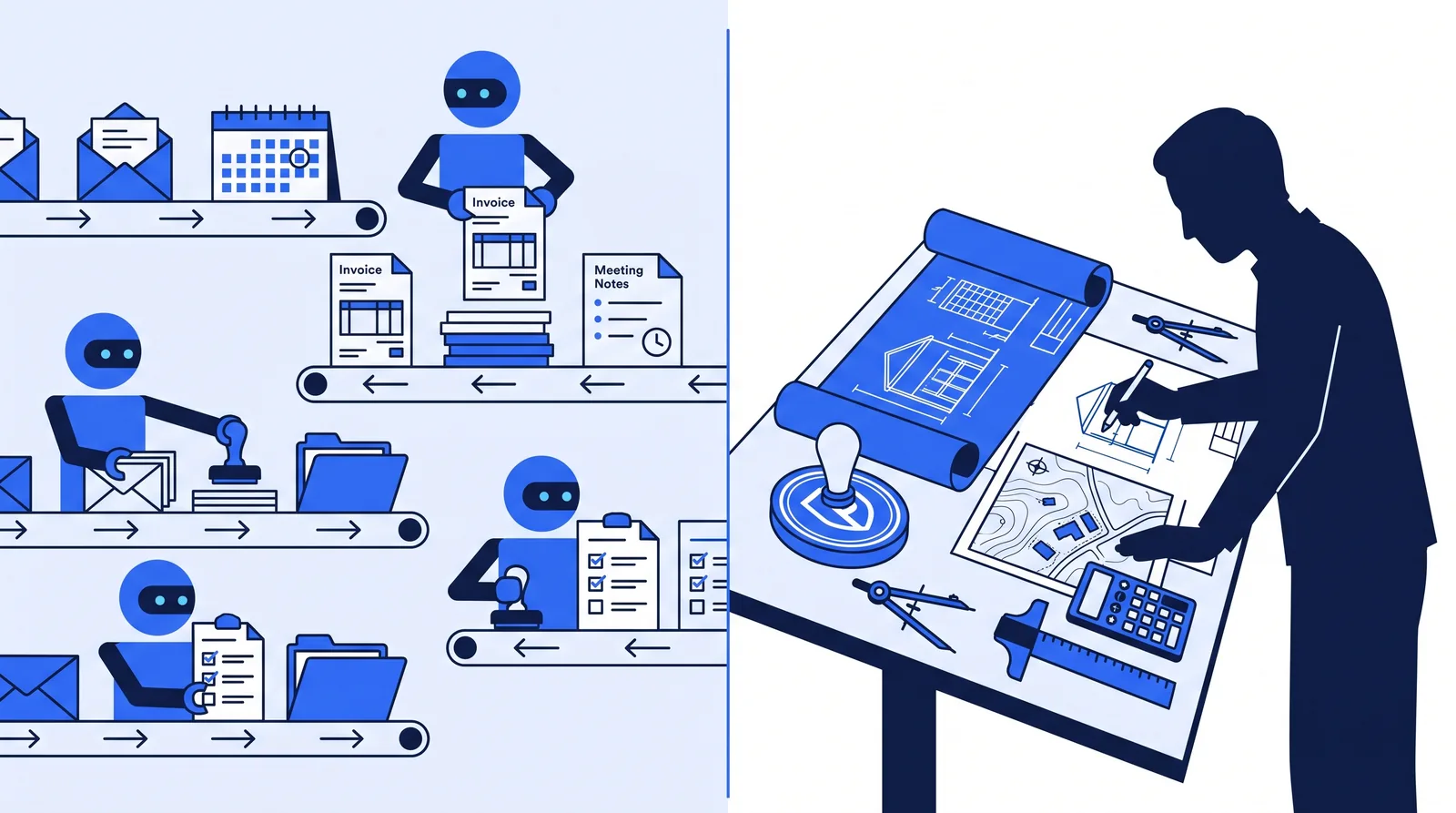 Admin flows to the agents; sealed work and final judgment stay with the licensed professional.
Task by task: where does AI fit in an engineering firm?
The table below sorts common engineering and surveying firm tasks by how well they suit AI automation today. "Fit" reflects how repetitive and rules-based the task is, and whether its output needs a licensed professional's sign-off. "Assist" means AI can do real work on the task, but it can't run unattended.
| Task | What AI can do | What stays with people | Fit |
|---|---|---|---|
| Meeting minutes (OAC, agency, client) | Transcribe, draft minutes, list action items, send and track follow-ups | Confirm decisions are recorded accurately | High |
| Proposals, RFQ responses and SF330s | Pull resumes, project sheets and past language into a first draft; check RFP requirements | Win strategy, fee, technical approach | High |
| Document chasing (surveys, title, geotech reports) | Track what's outstanding, send reminders, file arrivals to the project | Judge whether a document is adequate | High |
| RFI and submittal logs | Log items from email or Procore, track who owes a response, remind | The technical response itself | High |
| Permit and agency tracking | Track status and deadlines, summarize comment letters | Decide how to address comments | High |
| Invoicing | Draft invoices with backup from approved hours and phase completions | Approve before sending | High |
| Collections | Send polite, escalating reminders on overdue invoices and retainage | Decide when to escalate or stop work | High |
| CRM and client check-ins | Update contacts and pursuits from emails and calls; draft check-in notes | Approve what goes out | Medium-High |
| Survey and project intake | Collect request details, check for missing information, propose crew dates | Final scheduling and pricing | Medium |
| QA/QC checklists | Run checklist items, flag missing sheets or inconsistent titles | The engineering review | Medium |
| Report writing (field, inspection, Phase I ESA) | Draft standard sections from field notes and templates | Findings, conclusions, signature | Low-Medium |
| Design, calculations, plats and sealed documents | Run checks, compare alternatives, draft calculations and flag conflicts for the engineer to direct and verify | Directing the work, every decision, and everything that carries a stamp | Assist (under responsible charge) |
A simple test for any task not on the list: AI is a good candidate when the task is frequent, follows a pattern, works from text or data you already have, and is easy to check before it leaves the building. If a mistake would be hard to spot or hard to undo, or the output needs a seal, keep a person firmly in control.
For a structured way to run this test across your own week, the admin agent picker walks through common tasks one at a time.
What do engineering licensure rules mean for AI?
Licensure rules don't ban AI, but they make clear who is accountable. A licensed engineer must stay in control of engineering work, and AI cannot carry that responsibility.
Two professional bodies have said so directly:
- ASCE Policy Statement 573 (adopted July 18, 2024) says "AI cannot serve as a replacement for the professional judgement of a licensed Professional Engineer," and that AI "cannot be held accountable." (ASCE)
- NSPE Position Statement 03-1774 (latest revision February 2026) calls for "rigorous verification & validation, testing, and continuous monitoring of AI systems." (NSPE)
The bigger implication comes from responsible charge, the licensure concept that defines when an engineer may seal work. NSPE cites the NCEES model law definition: "the direct control and personal supervision of engineering work." NSPE's responsible charge statement adds that reviewing drawings or documents after they're prepared, without involvement in the design, does not meet that standard (NSPE).
In practice, that means an engineer can use AI for analysis and drafting, but can't let it produce a design independently and then simply check and stamp it. The engineer has to direct the work as it happens. For admin work, the issue doesn't arise: minutes, invoices and submittal reminders carry no seal. That's one reason admin is the safest place to start. State board rules vary, so check your own board's rules before using AI anywhere near sealed work. For the data, insurance and security side, see is AI safe for engineering firms. This article is general information, not legal or licensure advice.
How are engineering firms using AI in 2026?
Most engineering firms now use AI in some form, but few have it working at scale, and fewer can show results. The pattern is consistent across five industry studies from 2025 and 2026:
| Study | Who was surveyed | Key AI finding |
|---|---|---|
| Deltek Clarity A&E Study (47th, May 2026) | 896 A&E firms, US and Canada | Adoption rose from 53% to 70%; 38% report measurable positive impact; 39% say it's too early or they're still piloting |
| Unanet AEC Inspire Report (June 2026) | About 300 US AEC leaders | 75% use AI; only 29% have high confidence in the data behind it; use is concentrated in business development and marketing |
| BST Global AI + Data Insights (May 2026) | Technology leaders at AEC firms worldwide | Fewer than a quarter claim mature or advanced readiness; only 1% report widespread adoption of AI-enabled processes |
| ACEC Research Institute sentiment survey (Q1 2026) | 628 engineering firm executives | More firms are building AI strategies; more than half are investing in dedicated AI talent |
| AIA AI adoption study (March 2025) | US architects and firms | 8% of firms have implemented AI; another 20% are integrating it; 6% of architects use it regularly |
Figures as of October 2026, from each publisher's own release.
Read together, these studies point to the same gap: AI use is widespread, AI results are not. Deltek's respondents named their top AI challenges as knowing where and how to apply the technology (62%) and integrating AI systems (56%). Unanet's data shows firms using AI mostly for marketing and business development, not for the back-office work where hours pile up. For a use-case-by-use-case breakdown, from RFQ monitoring to point cloud classification, see 14 AI use cases for engineering firms.
That gap is the opportunity for a smaller firm. Firms that have results tend to apply AI to specific, measurable workflows rather than handing staff a chatbot and hoping. The ACEC Research Institute's study on AI in engineering reached a similar view: near-term value sits in automating routine tasks and supporting project management, with AI supporting professional judgment rather than replacing it.
How much time could AI automation save an engineering firm?
The ceiling is large, because so much of a firm's paid time isn't billed. Deltek's 2026 Clarity study puts average A&E utilization at just under 60%.
Here's what that means in hours. This is a rough calculation, using a standard 2,080-hour work year:
| Per employee | 20-person firm | |
|---|---|---|
| Paid hours per year | 2,080 | 41,600 |
| Billable at ~60% utilization | ~1,250 | ~25,000 |
| Not billed (~40%) | ~830 | ~16,600 |
Not all of those ~830 hours are admin. They include holidays, PTO, training and business development. But a meaningful share is the work in the "High fit" rows above: writing minutes, chasing documents, assembling proposals, preparing invoices and following up on payments.
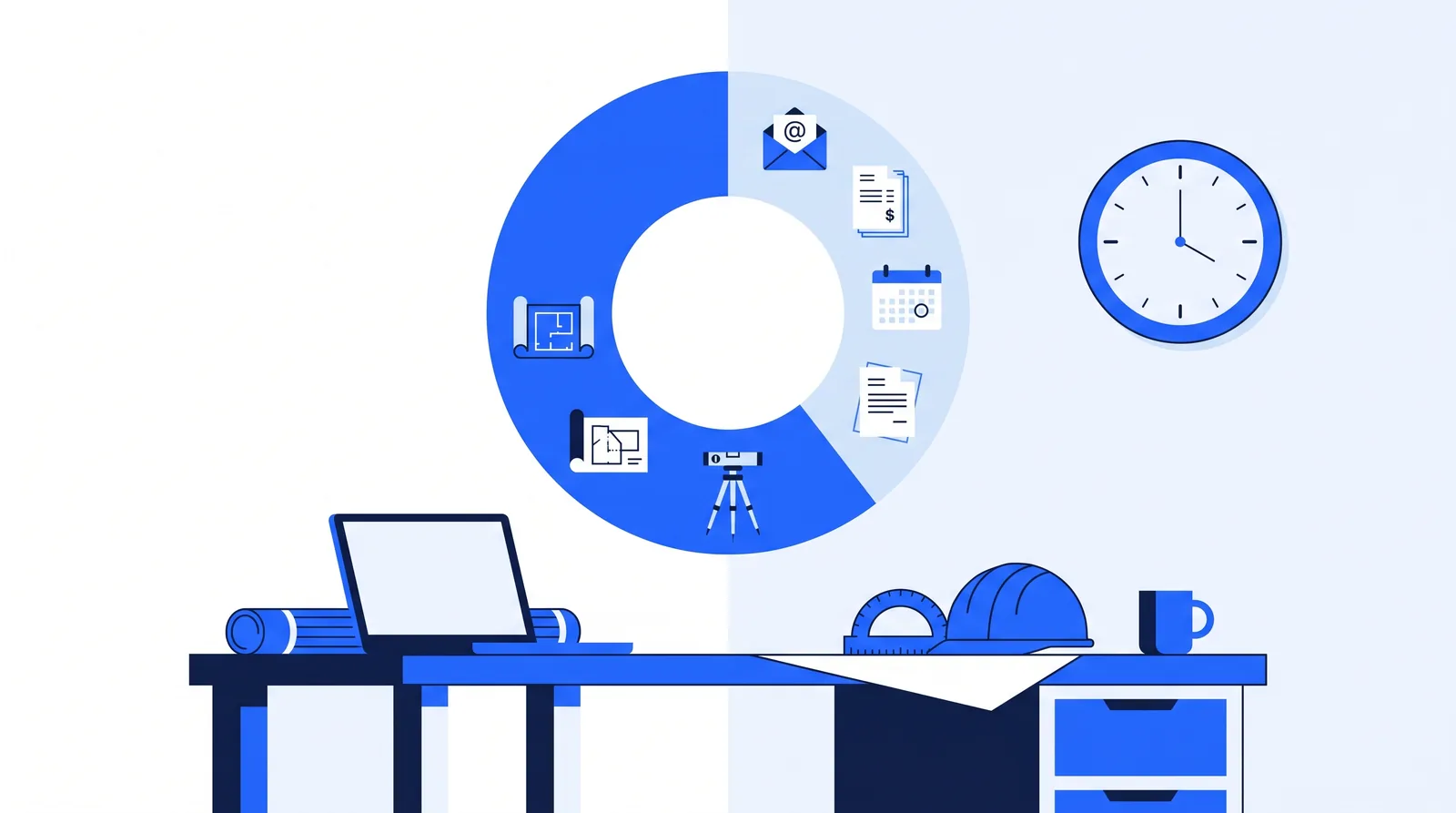 At just under 60% utilization, roughly 40% of paid hours go unbilled.
How much of that time can AI realistically recover? Two well-known controlled studies give a sense of scale:
- In a 2023 study of 758 Boston Consulting Group consultants by researchers from Harvard, MIT, Wharton and BCG, consultants using GPT-4 on tasks within AI's capabilities completed 12.2% more tasks and finished 25.1% faster, with more than 40% higher quality. On a task outside AI's capabilities, they were 19 percentage points less likely to reach a correct answer.
- An NBER study of more than 5,000 customer support agents found an AI assistant raised productivity by 14% on average, with gains of up to 35% for the least experienced workers.
Both studies used AI models from 2023, and today's models handle a wider range of technical work. The lesson still holds: AI makes well-defined work faster and better, and can make poorly matched work worse. The researchers call this a "jagged technological frontier." The frontier has moved since, but it's still uneven, which is why matching AI to the right tasks matters more than which AI product you buy.
To run the numbers on your own firm's hours and rates, try the automation ROI calculator.
How does AI admin automation work in practice?
Most useful AI automation in a firm takes the form of agents: software that watches for a trigger, does a defined job using your files and systems, and asks a person before anything important goes out. For a deeper explanation, see how admin agents work.
A typical agent workflow has five steps:
- Trigger: an email arrives, a meeting ends, a phase is marked complete, or it's Monday at 9 a.m.
- Read: the agent pulls what it needs, such as the transcript, the submittal log or the approved hours.
- Draft: it produces the output, such as minutes, a reminder, an invoice or a proposal section.
- Approve: a person checks anything that needs it. Firms typically set rules here, such as "every invoice over a set amount" or "anything going to an agency."
- Send and file: the agent sends the approved item, logs it and files it to the right project.
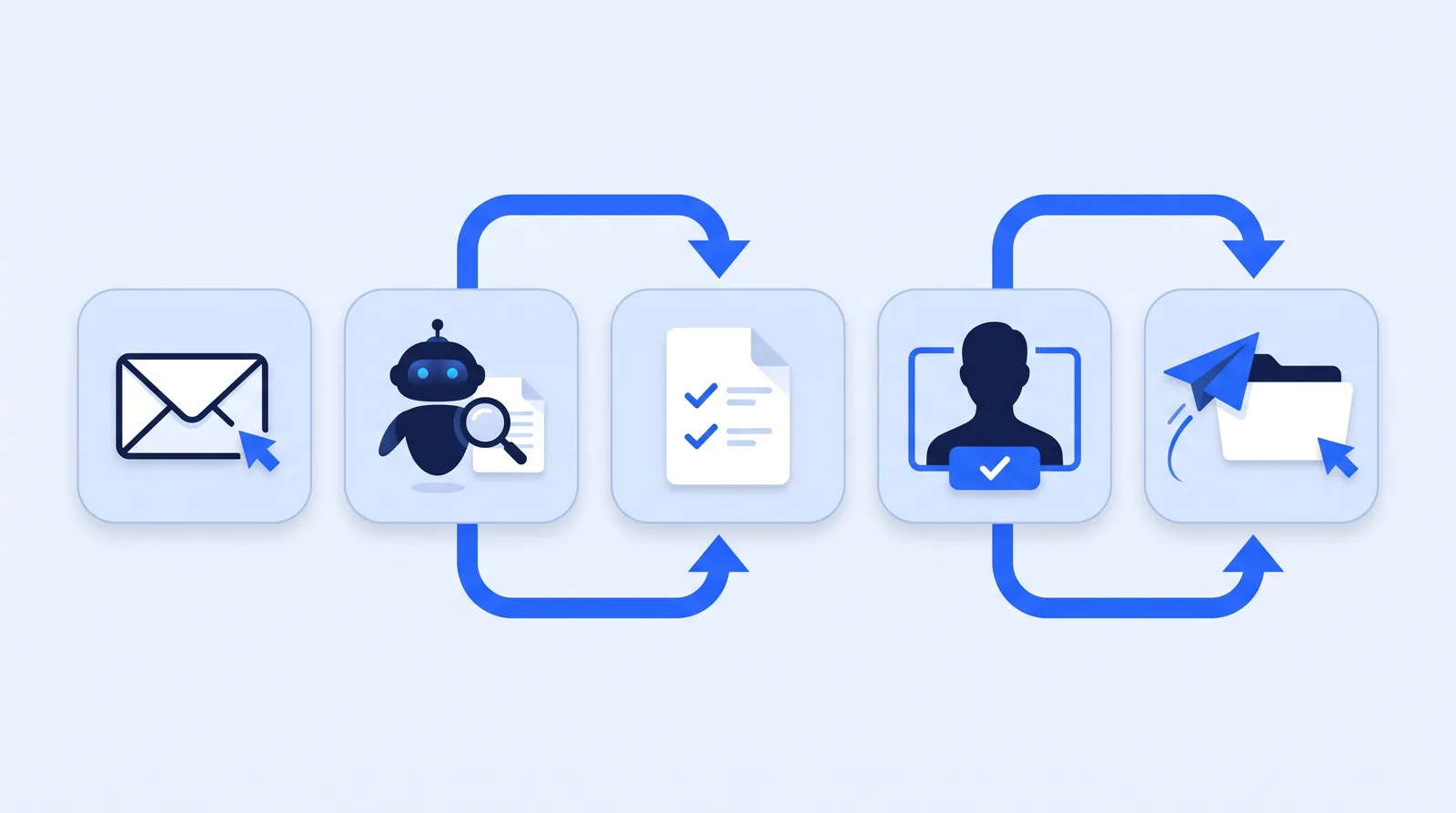 The approval step keeps a person in control of anything that leaves the firm.
Agents work alongside the software firms already run, such as Deltek Vantagepoint or Ajera, BQE Core, QuickBooks, Procore, Bluebeam and Microsoft 365. They don't replace project accounting or project management systems; they do the typing, chasing and filing between them. To see which AI features those platforms now include, see our roundup of the best AI tools for engineering firms.
How the fit changes by firm type
The admin load differs by discipline, so the best first tasks differ too:
- Civil and site development: agency comment letters, permit tracking, RFIs during construction administration, and proposal volume. See the civil engineering page for typical workflows.
- Land surveying: request intake, field crew scheduling, chasing title commitments and deeds, and invoicing many small jobs. The land surveying page covers these in more detail.
- Structural and MEP: submittal and RFI logs, shop drawing review tracking, and meeting minutes across many consultants.
- Geotechnical and materials testing: report assembly from field data, scheduling technicians, and fast invoicing of high-volume tests.
- Environmental consulting: document requests for Phase I ESAs, regulatory deadline tracking, and report formatting.
- Architecture: consultant coordination, meeting minutes, and the proposal work that the AIA study suggests firms already lean on AI for.
Example scenario: a 20-person civil and surveying firm
Example scenario: putting AI on the admin backlog This is an illustrative example, not a real client.
The situation: A 20-person civil engineering and land surveying firm has four project managers and one office manager. The PMs estimate they each spend about 6 hours a week on minutes, document chasing, invoice backup and client follow-up. Invoices often go out a week or more after month-end because PMs are in the field.
What they do: The firm maps a typical week and picks three tasks: meeting minutes, document chasing for surveys and title reports, and monthly invoice drafting from approved hours. It sets approval rules: PMs approve every invoice and any message going to an agency. It measures PM admin hours for four weeks before and after.
The likely outcome: If AI-drafted work saves time at a rate similar to the 25.1% speed gain in the BCG study, the four PMs would recover about 1.5 hours each per week, roughly 300 hours a year across the group. Gains could be larger for tasks the agent completes end to end, such as reminders, and smaller during the first weeks while the team corrects drafts. Invoices should also go out sooner, since drafting no longer waits for a PM's free afternoon.
The arithmetic: 6 hours × 25.1% ≈ 1.5 hours per PM per week; 1.5 × 4 PMs × 50 working weeks = 300 hours. These are estimates from a benchmark in a different profession, not a guarantee. Your before-and-after measurement is the number that matters.
How should an engineering firm start with AI automation?
Start small, with admin, and measure. A four-step path works for most small and mid-sized firms:
- Map a typical week. List every recurring admin task, who does it, and roughly how long it takes. The map your admin day lesson has a template.
- Pick 3 to 5 tasks. Choose high-volume, "High fit" tasks from the table above, where errors are easy to catch.
- Pilot with approvals. Run each agent with a human approval step for every output for the first few weeks, then relax approvals only where the drafts are consistently right.
- Measure and expand. Compare hours, invoice timing and missed follow-ups before and after. Add the next tasks once the first ones are stable.
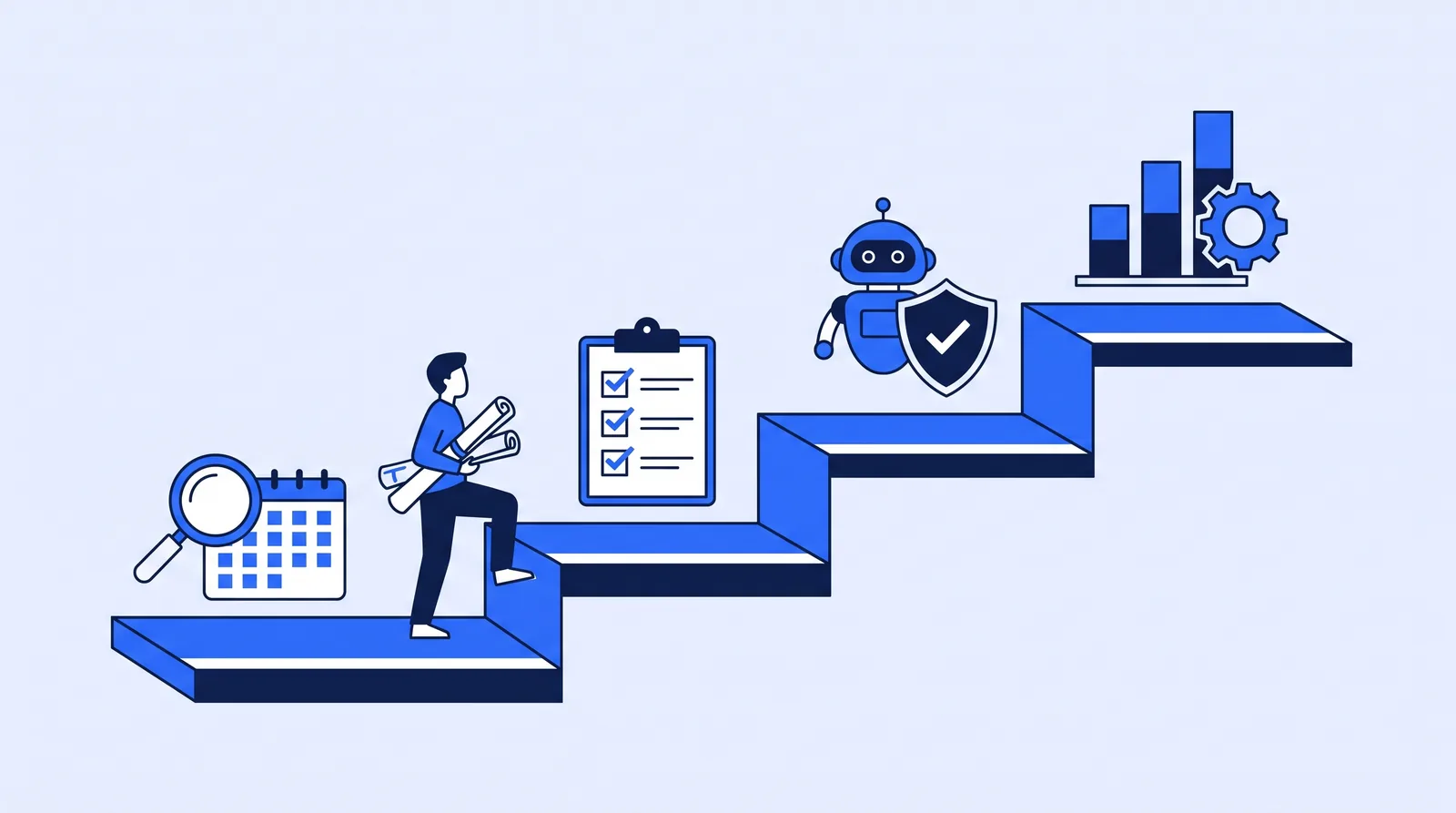 Map, pick, pilot, then scale.
Avoid starting with the hardest problem, such as automated design checks, or with a firm-wide chatbot and no defined workflow. Deltek's finding that 62% of firms struggle to know where to apply AI suggests that a clear task list is the most valuable first step. For a readiness check, a 90-day roadmap and a breakeven test on cost, see how to build an AI strategy for your firm.
Conclusion
AI can automate a large part of an engineering firm's project admin and assist with much of its technical work. Licensure rules from ASCE and NSPE keep design decisions and sealed documents under a licensed professional's direct control, so admin is where AI can run with the least oversight. With A&E utilization just under 60%, the admin slice of unbilled time is the clearest place to recover hours.
The recommendation: map your week, pick three to five high-volume admin tasks, run them with an approval step, and measure the hours you get back.
FAQs
Can AI replace engineers?
No. AI can do substantial technical work, such as checking calculations and comparing design options, but it can't hold a license or take responsibility for the result. ASCE's policy statement says AI cannot replace the professional judgment of a licensed PE, and licensure rules require an engineer in responsible charge of sealed work. AI can take over much of the admin around engineering, which frees engineers for billable technical work.
Is AI worth it for a small engineering firm?
It can be, if you apply it to specific, high-volume tasks rather than buying tools in general. Small firms often feel admin load most because principals and PMs do it themselves. Measure the hours a task takes today, then compare after a short pilot.
Can AI help land surveyors?
Yes, mainly with office work: request intake, scheduling field crews, chasing title commitments and deeds, and invoicing. Boundary determinations, plats and anything carrying a PLS seal remain the surveyor's professional responsibility.
Do I need to tell clients I use AI?
There's no single rule for this. Check your contracts, any client data-handling terms, and your state board's guidance. Many firms disclose AI use for client-facing deliverables and keep a written internal policy on approved tools and data.
What's the difference between an AI chatbot and an AI agent?
A chatbot answers questions when someone asks it. An agent does a defined job on its own: it watches for a trigger, completes the task using your systems, and asks a person to approve anything important. For firm admin, agents are usually the more useful of the two.